SNAP DOCUMENTATION
How to post WooCommerce Products
Allow WooCommerce products to be autoposted
WooCommerce is the most popular e-commerce plugin for WordPress. It turns WordPress in the web-store filled with products offered for sale.
SNAP Plugin is fully compatible with WooCommerce. You can easily autopost new or auto-repost existing products to all your social media accounts.
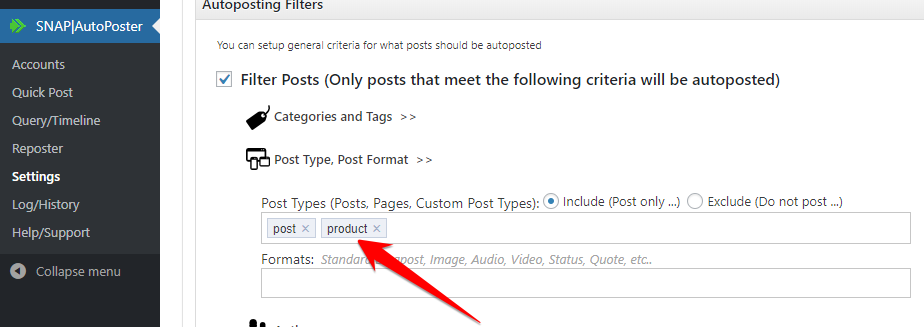
Technically WooCommerce product is whats called WordPress custom post type. So first thing that you need to do is to add custom post type “product” to the list of post types that SNAP should autopost.
Please go to the plugin Settings -> Filters and add custom post type “product” to the list of allowed “Post Types”
Message format for WooCommerce products
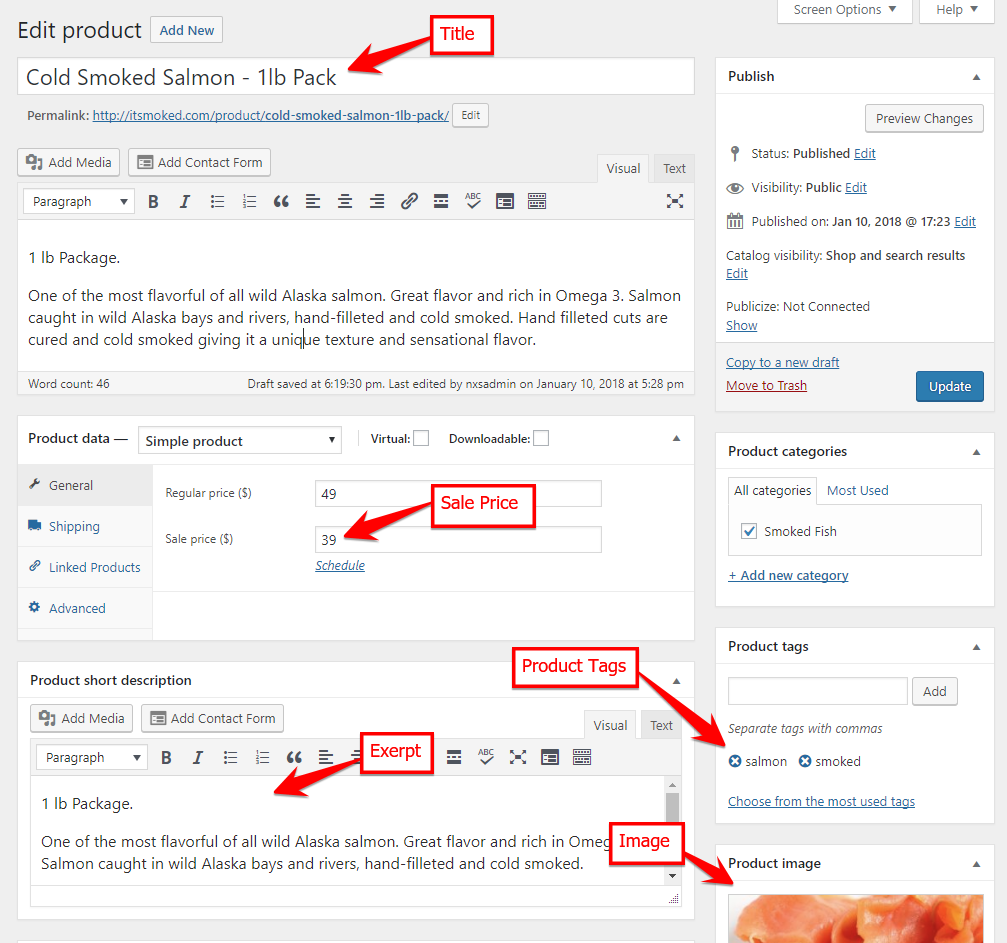
WooCommerce products are using some regular WordPress attributes like title, excerpt and text. There are also some custom fields and custom taxonomies. SNAP can post both custom fields and custom taxonomies.
%CF-CustomFieldName% – Inserts the contents of the custom field with the specified name.
%CT-CustomTaxonomyName% – Inserts the list of custom taxonomies associated with the post
%HCT-CustomTaxonomyName% – Inserts the list of custom taxonomies associated with the post as hashtags.
Examples
Very simple post – Product title with price and URL.
Message Format:
%TITLE% – $%CF-_price% – %URL%
Something more complicated – Product title with sale price, short description, URL and product tags posted as hashtags.
Message Format:
On Sale Now: %TITLE% – $%CF-_sale_price%
%EXCERPT%
%URL%
%HCT-product_tag%
WooCommerce product:
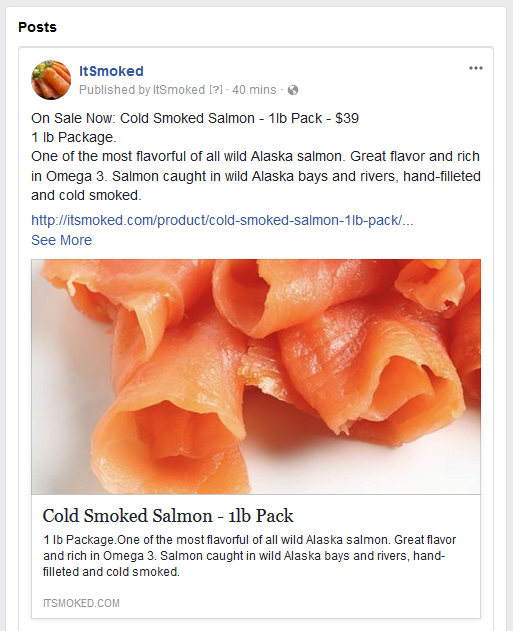
Results:
Facebook:
Twitter:

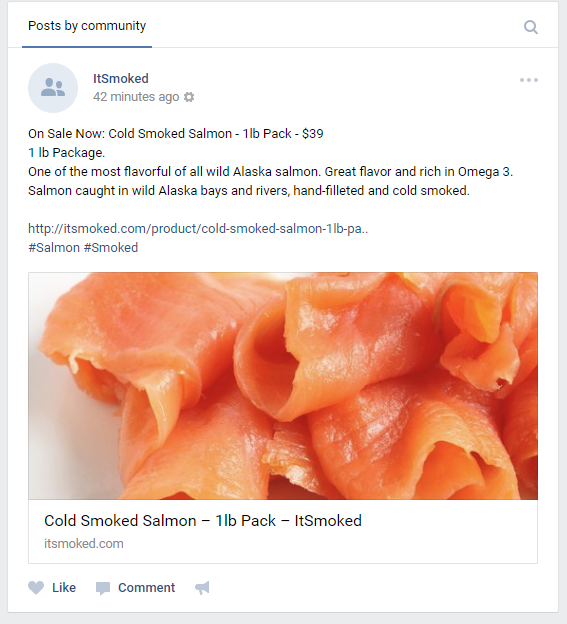
vk.com: